If you’ve ever stared at the URL field while publishing a page, wondering whether to trim it down or let WordPress auto-generate it, you’re not alone. It’s one of those small decisions that attracts contradictory advice, ranging from “Google doesn’t care at all” to unsupported claims that every extra character hurts rankings.
The honest answer sits in between those two extremes, and understanding why matters more than memorizing a number.
Quick Answer
There is no official Google “ideal URL length.” For standard blog posts and landing pages, a short, descriptive slug is usually easier to read, share, and maintain than a long one. As a practical editorial habit, many teams try to keep the visible path concise and avoid unnecessary folders, parameters, dates, and repeated keywords. Treat any character range as usability guidance, not a ranking threshold.
That’s the practical takeaway. The rest of this guide explains why, and how to actually apply it.
What Google Has Actually Said About URL Length
This is where a lot of confusion starts, so let’s separate fact from SEO folklore.
Google’s public URL guidance focuses on making URLs simple, descriptive, and understandable. It does not provide a universal character target for rankings. In practice, a readable URL is easier for people to inspect and easier for teams to manage, but the number of characters is rarely the real issue by itself.
So technically, a 400-character URL with six nested folders won’t get penalized just for being long. That part of the internet’s URL-length anxiety is overstated.
The useful nuance is this: URL length is often a symptom, not the root problem. Deep folder structures can make site architecture harder to follow. Excessive parameters, session IDs, and duplicate query strings can create crawl and duplication problems. A URL stuffed with repeated keywords looks awkward and reads badly. None of that is really about character count; it’s about clarity, crawlability, and maintainability.
Why Shorter URLs Still Tend to Win in Practice
If Google says length doesn’t matter, why does almost every SEO guide still recommend keeping URLs short? A few real reasons, backed by actual data rather than assumption.
Some independent SEO studies have found correlations between shorter URLs and higher-ranking results, but correlation is not the same as causation. Stronger sites often have cleaner templates, simpler information architecture, and shorter slugs at the same time. In plain terms: shortening a URL is unlikely to improve rankings on its own. It helps most when it is part of a clearer site structure.
That distinction matters, because it changes what you should actually optimize for. You’re not chasing a character count for its own sake. You’re chasing the underlying qualities – flat architecture, clear topical structure, no junk parameters – that happen to produce short URLs as a byproduct.
Where length has a more direct, provable effect is click-through rate. A long URL packed with numbers, session IDs, or nested categories looks untrustworthy and hard to parse at a glance. Compare these two as they’d appear in a search result:
- quickmarketingtools.com/blog/ideal-url-length/
- quickmarketingtools.com/blog/category/seo-tips/2024/03/15/how-long-should-a-url-be-for-search-engine-optimization-purposes/
The first one tells you exactly where you’re going in about two seconds. The second makes you work for it, and on mobile it just gets truncated with “…” anyway, which erases whatever keyword benefit you thought you were getting.
Practical URL Length Guidance by Use Case
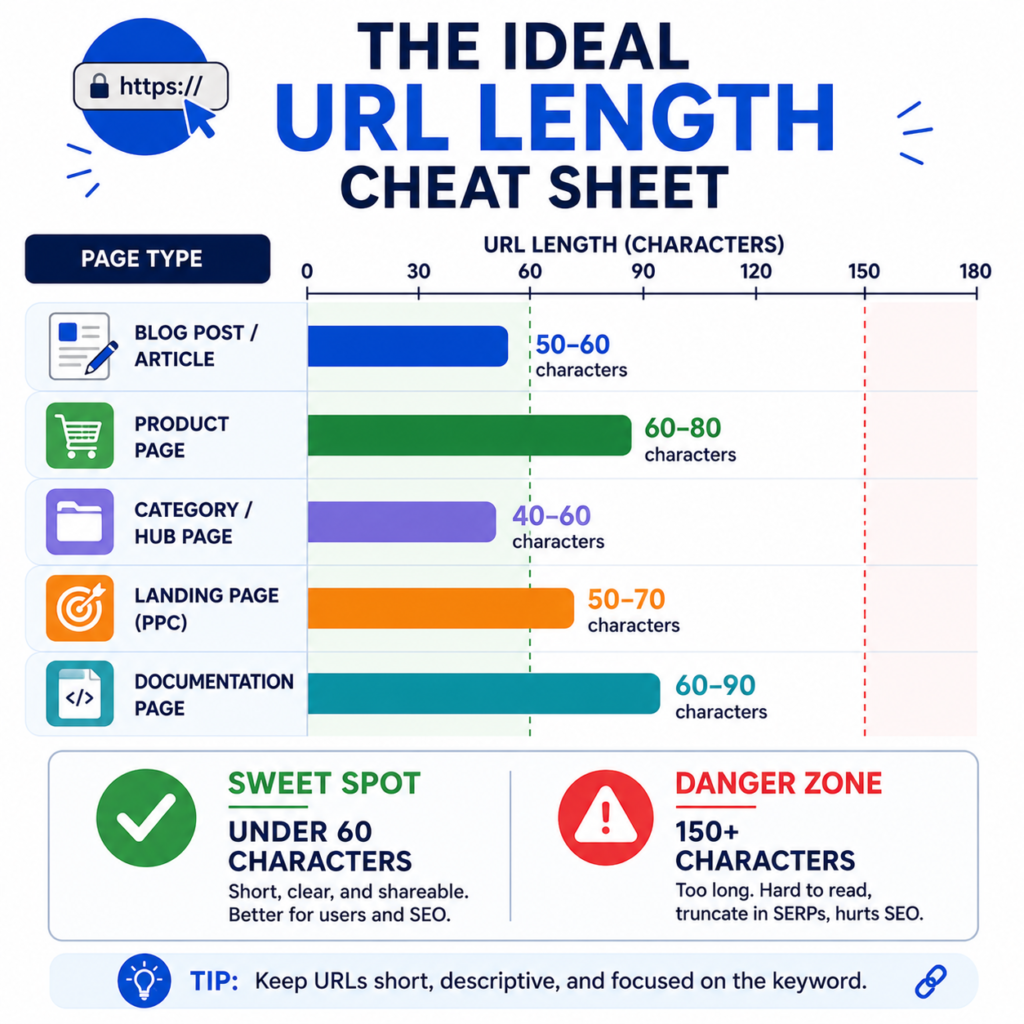
Not every page needs the same treatment. Here’s a practical breakdown.
| Page Type | Recommended Length | Notes |
| Homepage | N/A (root domain) | No optimization needed |
| Blog post / article | 50-60 characters (slug only) | Match the primary keyword, drop filler words |
| Product page (ecommerce) | 60-80 characters | May need a category folder; keep it one level deep |
| Category / hub page | 40-60 characters | Should read like a clean topic label |
| Landing page (PPC/campaign) | 50-70 characters | Avoid embedding full UTM strings in the visible path |
| Documentation / support article | 60-90 characters | Slightly longer is acceptable for specificity |
These aren’t hard limits – they’re comfortable working ranges. If your slug runs to 65 characters because it genuinely needs an extra word for clarity, that’s not going to hurt you. What actually creates problems is when a URL crosses into 150+ characters because a CMS auto-appended a full sentence, or because five category folders got stacked on top of each other.
How to Calculate Your URL Length Correctly
When people say “keep it under 60 characters,” they usually mean the path – not the full URL including https:// and the domain. Here’s how to think about it:
- Exclude the protocol and domain. https://quickmarketingtools.com doesn’t count against your budget – it’s fixed overhead every page carries.
- Count from the first slash after the domain. For quickmarketingtools.com/blog/ideal-url-length/, the part you’re optimizing is /blog/ideal-url-length/ – 24 characters.
- Include hyphens and slashes, since they affect readability even though they don’t add semantic weight.
- Don’t count tracking parameters separately – a URL like ?utm_source=newsletter shouldn’t factor into your “ideal length” decision at all, since it’s not what gets indexed or displayed in most SERP contexts. If you’re building campaign links, keep the base URL clean and add parameters with the UTM builder rather than typing them by hand.
Step-by-Step: Writing a URL Slug That Works
Here’s the process I’d actually walk a client through when setting up a new post or product page.
Step 1: Start with your target keyword, not your title. Your H1 might be “How Long Should a URL Be for SEO? A Complete 2026 Guide” – your slug shouldn’t be that. It should be the core phrase: ideal-url-length.
Step 2: Strip stop words. Words like “a,” “the,” “for,” “and,” “of” add characters without adding meaning. “how-to-improve-your-website-bounce-rate” becomes “improve-bounce-rate” and loses nothing a reader or crawler needs.
Step 3: Use hyphens, never underscores. Google treats hyphens as word separators and underscores as joiners – url-length reads as two words, url_length can read as one string. This has been standard guidance for over a decade and hasn’t changed.
Step 4: Keep it lowercase. URLs are technically case-sensitive on some servers, and mixed casing creates duplicate-content risk if /Blog-Post/ and /blog-post/ both resolve.
Step 5: Avoid dates in the path unless the content is genuinely time-bound. /blog/2024/03/15/post-title/ adds 11 characters of pure overhead and makes evergreen content look stale a year later.
Step 6: Limit folder depth to one or two levels. /blog/topic-name/ is fine. /blog/category/subcategory/year/topic-name/ buries the page and adds length without adding clarity.
If you’re renaming a batch of existing URLs rather than writing new ones, doing it by hand across dozens of pages gets tedious fast – a URL slug generator handles the hyphenation and stop-word cleanup automatically, and the bulk slug converter is worth using if you’re restructuring an entire site section at once.
Real-World Example: An Ecommerce Restructure
A mid-sized ecommerce client I worked with had product URLs like this:
store.com/shop/all-products/category/mens-footwear/running-shoes/brand/nike/product-id-4471829/nike-air-zoom-pegasus-40-mens-running-shoe-black-white/
That’s 148 characters in the path alone. Three problems came out of it: the URL truncated badly in Google’s mobile results, Google Search Console showed inconsistent crawling on deep product pages, and internal link equity was getting spread thin across six folder levels before reaching the product itself.
The restructure flattened it to:
store.com/shop/nike-air-zoom-pegasus-40/
That’s under 30 characters. The shorter string was not the fix by itself; the real improvement was that the page became easier to find, easier to understand, and easier to manage. The length reduction was a side effect of fixing the actual problem, which was site depth and unclear structure.
Common Mistakes That Make URLs Longer Than They Need to Be
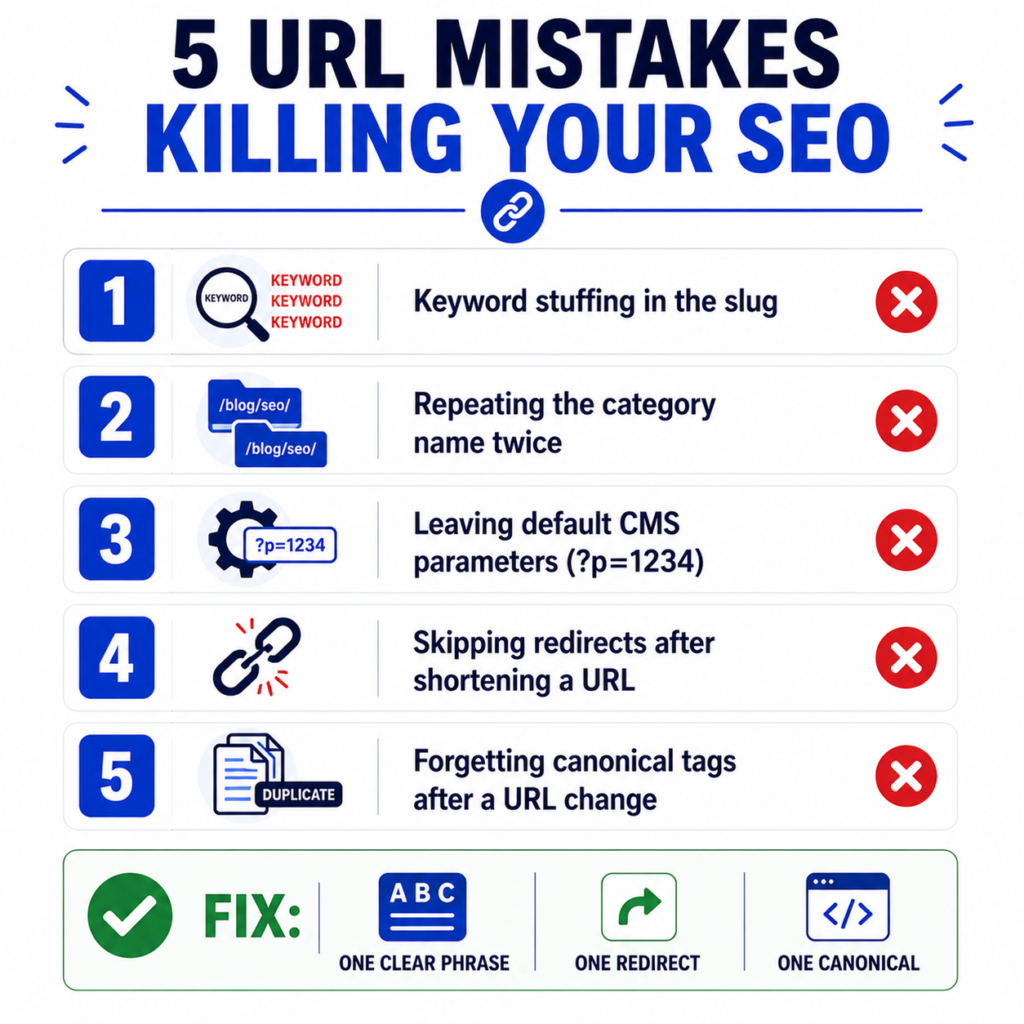
A few patterns show up constantly in audits:
- Keyword stuffing in the slug. /best-cheap-affordable-running-shoes-for-men-2024/ reads as spam to both users and Google. One clear phrase beats five overlapping synonyms.
- Duplicating the category in the slug. If the URL is already /blog/seo/, the slug doesn’t need to repeat “seo” again – /blog/seo/seo-url-length-guide/ is redundant.
- Leaving default CMS parameters in place. Platforms like WordPress, Shopify, and various ecommerce builders sometimes generate ?p=1234 or session-based strings by default. These should be cleaned up in permalink settings before a site scales, not after.
- Not setting up redirects when shortening old URLs. This is the one that actually causes ranking damage – not the old length, but breaking working URLs without a plan. Any time you shorten an existing URL, set up a 301 redirect from the old path immediately; a redirect generator makes this fast for bulk changes, and it’s worth reviewing the HTTP status code guide if you’re not sure which redirect type applies to your situation.
- Forgetting canonical tags after a URL change. If you end up with both an old and new version indexable, a canonical URL generator helps make sure Google consolidates signals to the right version.
When Longer URLs Are Actually Fine
Not every long URL is a problem. A documentation page with a URL like /docs/how-to-configure-webhook-authentication-for-api-v2/ is 55 characters and perfectly reasonable, because every word is carrying information the user and the search engine both need. Long-tail informational content sometimes genuinely needs a more descriptive slug to differentiate it from a dozen similar pages on the same topic.
The line isn’t “short is good, long is bad.” It’s “every character should be doing something.” If you can remove a word and the URL is still just as clear, remove it. If removing a word makes the page’s topic ambiguous, keep it.
URL Length in the Context of Overall SEO
It’s worth putting this in perspective: URL length is usually less important than clear titles, useful content, logical internal links, and a page that satisfies the searcher’s intent. If you’re deciding where to spend an afternoon of SEO work, auditing your meta title length or meta description length may be more useful than shortening slugs that are already readable. Similarly, internal linking structure often matters more than the character count of any individual URL.
That said, URL length isn’t zero-impact either, mostly because of what it signals to users in a snippet. Before publishing, it’s worth checking how a page will actually display using a SERP snippet preview tool, which shows exactly where truncation happens on desktop and mobile – a much more concrete guide than any fixed character rule.
Common Misconceptions
“A shorter URL will outrank a longer one, all else equal.” Not directly. The correlation exists in aggregate data but is weak once you control for domain authority. Don’t sacrifice clarity purely to shave off a few characters.
“Google counts words in the URL as a strong relevance signal.” Keywords in the URL provide a mild relevance signal, but it’s a minor one compared to title tags, headings, and actual content. One clear keyword phrase is enough.
“Removing folders (flattening structure) always helps.” Mueller has specifically addressed this – flattening doesn’t provide a ranking advantage on its own. Folder structure should follow logical site architecture, not an arbitrary “flatter is better” rule.
“URL length limits are the same everywhere.” Browsers can typically handle 2,000+ characters, and Google can process even more, but many CMS platforms, sitemaps, and third-party tools impose their own practical limits well before that. If you manage large sitemaps, it’s worth checking real indexed URLs with a sitemap URL extractor to catch anything unexpectedly long or broken.
Getting URL structure right is a small piece of a much larger technical SEO picture. If you’re auditing a site more broadly, the SEO tools collection covers everything from title tag checks to schema markup, and the blog has deeper guides on the pieces that tend to move rankings more than URL length alone
Sources and Methodology
This guide separates technical URL handling from practical SEO readability. Google-specific guidance is based on Google’s documentation for URL structure and canonicalizing duplicate URLs. The suggested ranges here are editorial usability guidelines, not Google ranking thresholds.
Frequently Asked Questions
What’s the maximum URL length Google will index?
Google does not publish a simple SEO character limit for URLs. Very long URLs may still create practical problems in browsers, CMS platforms, analytics tools, sitemaps, and reporting exports, so keeping paths reasonably short is still a useful operational habit.
Does removing stop words from a URL slug hurt readability?
Generally no – stop words carry little semantic weight, and “best-running-shoes-men” reads just as clearly as “the-best-running-shoes-for-men.”
Should I shorten old, already-ranking URLs to hit an ideal length?
Only if there’s a real problem to fix, like truncation in search results or confusing structure. Changing a URL that’s already ranking well introduces redirect risk for a benefit that’s often marginal. If you do change it, always redirect the old URL properly.
Do URL parameters count toward the length I should worry about?
The practical guidance in this article is mostly about the base path. Excessive parameters can create duplicate-content, canonicalization, and crawl-management issues separately, which is a different and often more important problem to audit.
Is there a difference between URL length guidance for blog posts versus product pages?
Slightly. Product pages often need to include more specific identifiers (like model names), so a bit more length is normal. Blog posts should generally stay tighter, since the topic is usually expressible in two or three words.