If you have ever opened Google Search Console and seen a spike in “Not Found” errors, or watched organic traffic drop after a site migration, you have already met HTTP status codes – whether you knew their names or not. These three-digit codes are the quiet mechanics behind every page load, every redirect, and every crawl. Get them wrong and you can lose rankings, break user journeys, and waste ad spend sending clicks to dead pages. Get them right and search engines crawl your site more efficiently, users land where they should, and your redirects pass authority instead of leaking it.
This guide breaks down every status code that actually matters for marketers – not developers building web servers, but the people running campaigns, managing SEO, and troubleshooting why a landing page suddenly stopped converting.
Quick Answer: What HTTP Status Codes Mean for Marketers
An HTTP status code is a three-digit response a server sends back every time a browser or crawler requests a page. Codes starting with 2 mean success, 3 mean redirection, 4 mean a client-side error (like a broken link), and 5 mean a server-side failure. For marketers, the ones worth knowing well are 200, 301, 302, 404, 410, 429, and 500-503 – because these directly affect crawl budget, rankings, ad quality scores, and conversion rates.
Why Status Codes Actually Matter to Marketing (Not Just Developers)
It’s tempting to leave status codes to the dev team, but a few real situations show why that’s a mistake:
- A Google Ads campaign pointing to a URL that returns a 404 will tank your Quality Score and burn budget on clicks that go nowhere.
- A site migration that uses 302 redirects instead of 301s can cause Google to keep indexing the old URLs and delay the transfer of ranking signals to the new ones.
- A flash sale page returning a 500 error during a traffic spike (common with under-provisioned hosting) can wipe out a day’s worth of paid traffic.
- Soft 404s – pages that look empty but return a 200 status – quietly waste crawl budget on larger sites and confuse Google about what’s actually live.
None of these are hypothetical. They show up constantly in Search Console reports, PPC audits, and post-migration traffic drops. Understanding status codes is really just understanding how your site talks to Google, your ad platforms, and your visitors.
How HTTP Status Codes Work
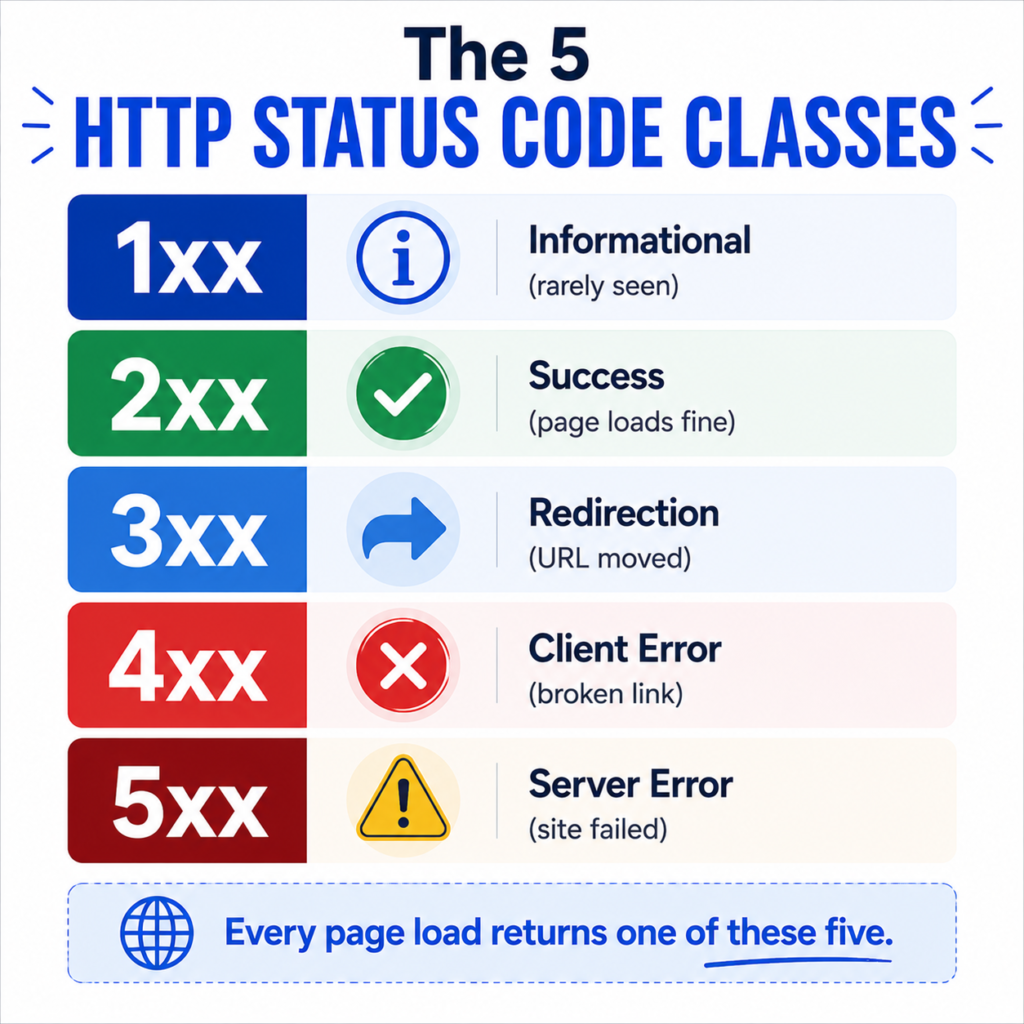
Every status code belongs to one of five classes, based on the first digit:
| Class | Range | Meaning | Marketer Relevance |
| 1xx | 100-199 | Informational | Rarely seen directly, mostly backend |
| 2xx | 200-299 | Success | Page loaded correctly |
| 3xx | 300-399 | Redirection | URL has moved, passes signal to new location |
| 4xx | 400-499 | Client error | Broken link, missing page, access issue |
| 5xx | 500-599 | Server error | Site or server failed to respond |
You will rarely deal with 1xx codes as a marketer, so the practical focus is on 2xx, 3xx, 4xx, and 5xx.
The Status Codes Marketers Actually Need to Know
2xx: Success Codes
200 OK is the code you want on every live, indexable page. It means the server processed the request successfully and returned the content. If a page you expect to be live is returning anything other than 200, something is wrong.
204 No Content shows up occasionally in tracking pixels and form submissions – the request succeeded, but there’s nothing to display. Not something you’ll troubleshoot often, but useful to recognize in network logs when debugging a tracking implementation.
3xx: Redirection Codes
This is where most marketing-related status code confusion happens, largely because of one recurring question: 301 vs 302 redirect – which one do I actually need?
301 Moved Permanently tells browsers and search engines that a URL has permanently moved to a new location. Search engines consolidate ranking signals from the old URL to the new one over time. Use this for:
- Permanent URL structure changes
- Domain migrations
- Merging duplicate pages
- Redirecting old blog URLs after a rewrite
302 Found (Temporary Redirect) tells search engines the move is temporary and the original URL should stay indexed. Search engines generally do not pass full ranking signal the way they do with a 301, and they may keep showing the old URL in search results. Use this for:
- A/B testing a page variant
- Temporary maintenance redirects
- Region-based or device-based redirects
- Sale pages that will revert to a standard URL
307 Temporary Redirect and 308 Permanent Redirect are the HTTP/1.1 versions of 302 and 301, with one difference: they preserve the original request method (so a POST stays a POST instead of being converted to a GET). Most marketers won’t need to choose between these directly, but it’s worth knowing they exist if a developer mentions them during a migration.
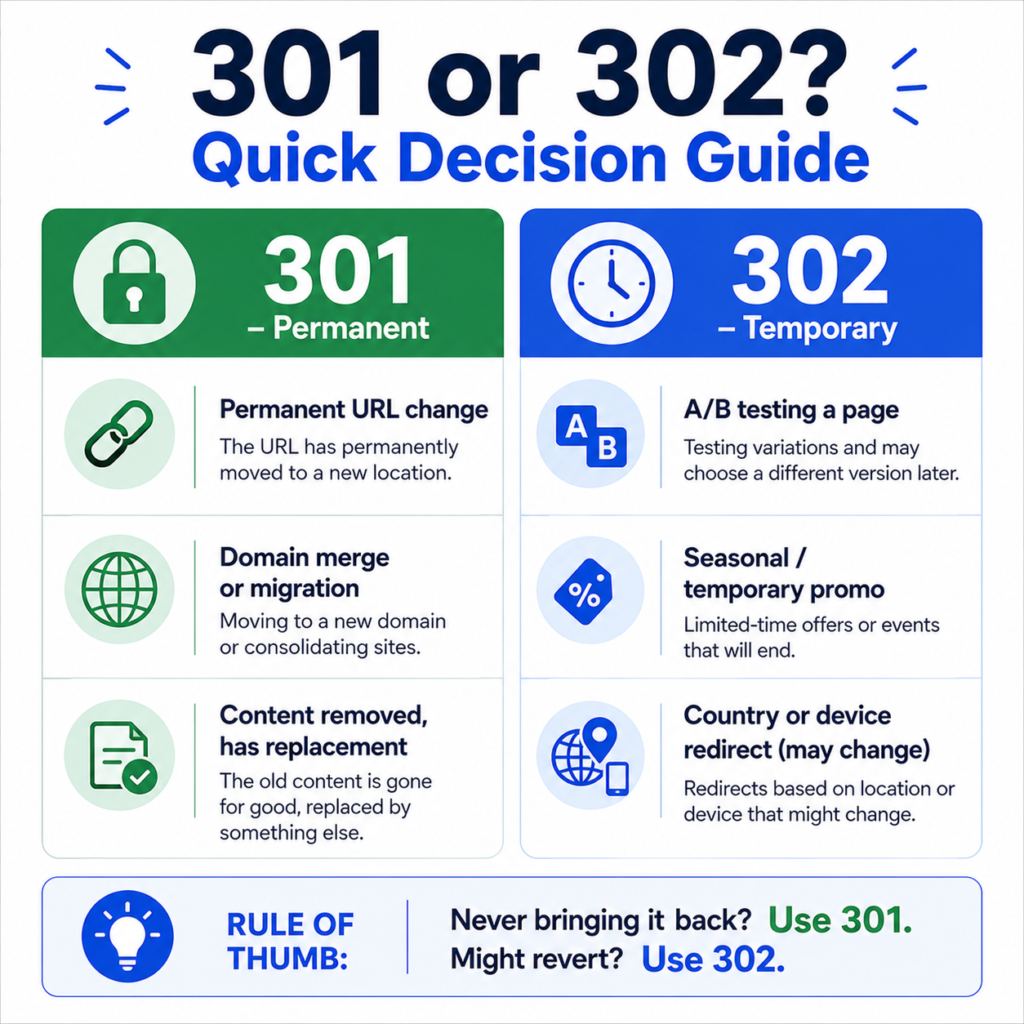
A simple rule that holds up in practice: if you never plan to bring the old URL back, use a 301. If there’s any chance you will, use a 302.
If you’re planning a redirect strategy for a migration or restructuring project, a redirect generator can help you build clean, correctly formatted redirect rules instead of hand-writing them and risking a typo that breaks a whole redirect chain.
4xx: Client Error Codes
404 Not Found means the page doesn’t exist at that URL, and the server has no record of it ever being there. This is the most common error code marketers encounter, and it is not automatically bad – every site accumulates some 404s naturally as content changes. The problem is unintentional 404s: broken internal links, expired product pages still linked from old blog posts, or ad campaigns pointing to URLs that were never live.
404 vs 301 redirect is a common decision point. If a page is gone permanently and has a clear replacement, redirect it with a 301. If it’s gone with no real replacement (a discontinued product with nothing similar), a 404 – or better, a 410 – is often the more honest signal.
410 Gone is a stronger, more deliberate version of 404. It tells search engines the page was intentionally and permanently removed, rather than just missing. In practice, Google tends to deindex 410 pages faster than 404 pages, which is useful when you’re actively trying to clean up old, low-value URLs rather than accidentally losing them.
429 Too Many Requests appears when a client (often a bot, sometimes an aggressive crawler or scraper) sends too many requests in a short window and gets rate-limited. This matters if you’re running large-scale SEO audits or bulk tools against your own site – hitting your own rate limits can produce misleading crawl data.
5xx: Server Error Codes
500 Internal Server Error is a generic failure – something broke on the server and it couldn’t complete the request. This is the code most likely to cause real damage during high-traffic moments like a product launch or holiday sale, because it usually means visitors and crawlers alike are getting nothing.
502 Bad Gateway and 503 Service Unavailable usually point to infrastructure issues – an overloaded server, a CDN misconfiguration, or planned maintenance. A 503 is actually the correct code to use during planned maintenance, because it signals to search engines that the downtime is temporary, so they should keep the pages indexed and check back later instead of dropping them.
504 Gateway Timeout means a server acting as a gateway or proxy didn’t get a response in time from an upstream server. Common on sites using CDNs or reverse proxies with tight timeout settings.
Status Code Reference Table
| Code | Name | Type | SEO Impact | Common Cause |
| 200 | OK | Success | Ideal, fully indexable | Normal page load |
| 301 | Moved Permanently | Redirect | Passes most ranking signal | URL restructure, migration |
| 302 | Found | Redirect | Minimal signal passed, original URL often stays indexed | Temporary campaigns, A/B tests |
| 404 | Not Found | Client error | Neutral if intentional, harmful if unintentional and linked | Deleted page, broken link |
| 410 | Gone | Client error | Faster deindexing than 404 | Intentional permanent removal |
| 429 | Too Many Requests | Client error | Can block crawling if persistent | Rate limiting, aggressive bots |
| 500 | Internal Server Error | Server error | Harmful if persistent, can drop rankings | Server/code failure |
| 503 | Service Unavailable | Server error | Safe for planned, short maintenance | Maintenance mode, overload |
How to Check Status Codes on Your Site
You don’t need to be technical to audit status codes. A few practical approaches:
- Google Search Console – the Pages report under Indexing shows exactly which URLs are returning 404s, 5xx errors, or redirect issues Google has encountered.
- Browser developer tools – open the Network tab, reload the page, and check the status column next to each request.
- Bulk URL checking – for larger sites, checking status codes one by one isn’t practical. A bulk URL opener lets you quickly load a list of URLs to spot broken pages, and pairing that with a sitemap URL extractor is a fast way to pull every indexed URL from your sitemap before auditing it.
Real-World Scenario: Ecommerce Site Migration
Say a mid-sized ecommerce store is moving from an old platform to Shopify. The old category URLs looked like /shop/mens-shoes.html and the new ones are /collections/mens-shoes. If the migration team forgets to set up redirects, every old URL returns a 404. Search engines eventually drop these pages from the index, and any backlinks pointing to them – along with years of accumulated ranking signal – are lost.
The fix is a 301 redirect map built before launch, mapping every meaningful old URL to its closest new equivalent. Done correctly, most of the ranking signal transfers within a few weeks, and organic traffic dips only briefly instead of collapsing. This is one of the most common – and most avoidable – SEO disasters in ecommerce, and it comes down entirely to using the right status code at the right time.
Real-World Scenario: Agency Running Paid Campaigns
A marketing agency manages Google Ads for a client whose product team renamed a landing page URL without telling anyone. The old campaign links now return a 404. Over a weekend, the campaign burns through budget sending paid clicks to a broken page, and Quality Score drops because Google’s ad system also evaluates landing page experience. By Monday, CPCs have crept up and conversions have flatlined.
This is a case where a simple pre-flight check – confirming every landing page in a campaign returns a 200 before launch, and periodically afterward – would have caught the problem in minutes instead of after a wasted weekend of spend.
Common Status Code Mistakes Marketers Make
- Using 302 for permanent moves. This is the single most common mistake in redirect strategy. It delays or weakens the transfer of ranking signal when a 301 was the right call.
- Redirecting everything to the homepage. A “redirect all 404s to homepage” approach seems easy but tells search engines nothing useful about what happened to the original content, and it’s a poor user experience. Redirect to the closest relevant page instead, or let it 404 if there’s genuinely no equivalent.
- Leaving broken internal links unaddressed. Old blog posts linking to since-removed pages create unnecessary 404s. An internal link analyzer can help surface these before they pile up, which matters even more on sites where internal linking strategy is still being built out.
- Not monitoring 5xx errors during traffic spikes. Server errors during a product launch or seasonal sale are often invisible until someone checks analytics and sees a conversion cliff.
- Forgetting canonical tags during redirects. A 301 redirect and a canonical tag should generally agree on which URL is the “real” one. A canonical URL generator helps keep that consistent, especially on sites with URL parameters or duplicate content variations.
- Redirect chains. Redirecting A to B, then later B to C, without updating the original A to point straight to C, creates a chain. Each hop adds load time and some signal dilution. Periodically auditing and flattening redirect chains is worth the effort on any site with a few years of history.
301 vs 302: A Quick Decision Framework
| Situation | Use |
| Permanent URL restructure | 301 |
| Domain change or merge | 301 |
| A/B testing a page variant | 302 |
| Seasonal or temporary promotion page | 302 |
| Country/language redirect that could change | 302 |
| Content permanently removed with a clear replacement | 301 |
| Site under short-term maintenance | 503 (not a redirect at all) |
Status Codes and Crawl Budget
For larger sites, status codes affect more than individual pages – they influence how efficiently search engines crawl the entire site. Every 404, redirect, or server error a crawler encounters consumes part of the site’s crawl budget without adding indexable value. Sites with thousands of broken links, redirect chains, or intermittent 5xx errors often see slower discovery of new content, because crawlers spend part of their allotted time hitting dead ends instead of finding new or updated pages. This is less of a concern for small sites, but it becomes a real factor once a site passes a few thousand URLs.
Building Status Codes Into Your Regular SEO Process
Status code auditing shouldn’t be a one-time migration task – it works best as a recurring check, especially after site updates, plugin changes, or campaign launches. A practical routine looks like this:
- Pull all indexed URLs from your sitemap.
- Bulk-check status codes across the list.
- Flag any unexpected 4xx or 5xx responses.
- Confirm redirect types (301 vs 302) match their intended permanence.
- Cross-check landing pages used in active ad campaigns separately, since these need the fastest turnaround if something breaks.
Pairing this with broader technical checks – like reviewing your meta title length or meta description length during the same audit – turns a status code check into a more complete technical SEO review rather than a one-off fix.
If you’re setting up a broader toolkit for these kinds of checks, QuickMarketingTools has a full set of SEO tools built for exactly this kind of recurring maintenance work, alongside marketing calculators for the campaign side of the equation. You can browse the complete list on the all tools page.
Frequently Asked Questions
Does a 404 error hurt my SEO rankings?
A single 404 on a page that was never meant to be permanent usually has no measurable impact. The risk comes from 404s on pages with backlinks, existing rankings, or heavy internal linking – those represent lost equity that a redirect could have preserved.
Should I redirect old blog posts I’ve deleted?
If the post had traffic, backlinks, or rankings, redirect it to the closest relevant, still-live content with a 301. If it never got traction, a 404 or 410 is fine.
What’s the difference between 404 and 410 for SEO purposes?
Both tell search engines the page is gone, but 410 is a more deliberate signal of permanent removal and tends to get deindexed faster. Use 410 when you’re intentionally retiring content for good.
Is a 302 redirect bad for SEO?
Not inherently – it’s simply the wrong choice for permanent changes. For genuinely temporary redirects, 302 is the correct and appropriate code to use.
How long should a 302 redirect stay a 302?
If a “temporary” redirect has been live for over six months with no plan to revert it, it’s effectively permanent and should be changed to a 301.
Can a 500 error affect my Google Ads Quality Score?
Yes. Landing page experience is one of the factors in Quality Score, and a page returning a server error provides the worst possible experience, which can raise CPCs and lower ad rank.