Most sites lose traffic quietly. A post that ranked on page one eighteen months ago can slide to position 14, nobody notices for three months, and by the time someone checks Search Console, the recovery job is harder than it needed to be. Refreshing old blog posts can be worthwhile because you’re working with a page that already has history, links, and known search queries. You’re not starting from zero, but a refresh only helps when the page genuinely becomes more useful.
This guide walks through how to identify which posts actually deserve a refresh, what to change (and what to leave alone), and how to avoid the common mistake of doing a light edit that looks like effort but does not improve the page.
Quick Answer
Refreshing a blog post for SEO means updating its content, structure, and metadata to match current search intent and current information, usually without changing the URL. The highest-impact changes are often: updating outdated facts and statistics, expanding sections that no longer answer the query well, tightening the title and meta description, adding or fixing internal links, and improving on-page structure like headings and readability. A good refresh takes a page that’s declining or stagnant and gives it a genuine reason to deserve attention again, rather than just bumping the “last updated” date.
Why Content Refreshes Work
Freshness matters for some queries more than others. For queries where the correct answer changes over time, such as pricing, tool comparisons, statistics, “best of” lists, and platform features, an outdated page may no longer satisfy the user. A 2021 article about Google Ads bidding strategies could miss years of platform changes. Even if the writing was excellent at the time, it may now be answering a question users are no longer asking in the same way.
There’s also a practical reason refreshes can be preferable to new posts in some cases: the page may already have links, internal references, rankings, and search-query data. A brand new post has to earn all of that from scratch. Updating an existing page and keeping the same URL can preserve continuity, provided the page still serves the same core intent.
That said, not every old post deserves the effort. Some pages are old because the topic itself has permanently low demand, and no amount of refreshing will change that. Part of doing this well is knowing which posts are worth the time.
How to Find Posts That Need Refreshing
Before touching anything, pull data. Refreshing based on a gut feeling wastes time on the wrong pages.
Pull your organic traffic report and sort by trend, not volume. Look for posts that had meaningful traffic 12-24 months ago and have declined by 30% or more, especially if the decline was gradual rather than a sudden algorithm hit. Gradual decline usually means the content aged out; a sudden cliff usually points to something else (a penalty, a technical issue, a SERP feature taking the top spot).
Check average ranking position in Search Console. Posts sitting near the bottom of page one or on page two for queries with real search volume can be good refresh candidates. They are already visible enough to study, and a substantive update may improve their usefulness for the query.
Look for outdated information directly. Old pricing, deprecated tool names, statistics from studies that have since been updated, screenshots of interfaces that have since been redesigned. Readers notice this fast, and so does bounce behavior.
Compare depth against current top-ranking pages. If your old article answers only half the question while current results include tables, examples, and FAQs, the gap may explain why the page feels less useful. This doesn’t mean padding for length; it means checking whether the topic is being covered more thoroughly elsewhere.
A quick way to audit this at scale is running your sitemap through a sitemap URL extractor to get a full list of published URLs, then cross-referencing against your analytics export to spot the decliners without manually clicking through every page.
Step-by-Step: How to Refresh a Blog Post
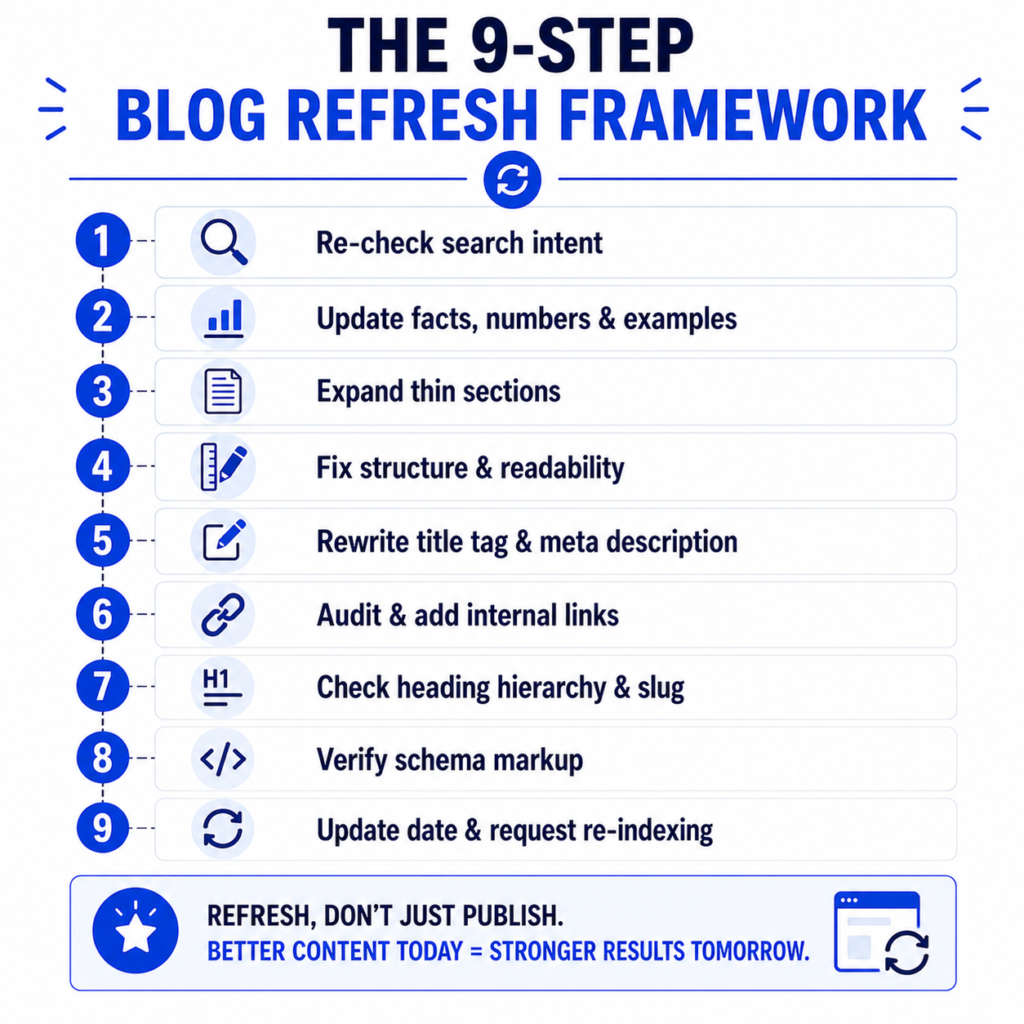
1. Re-check search intent first
Before editing a single sentence, search the target keyword and look at what’s actually ranking now. Intent shifts. A keyword that used to return blog explainers might now return tools, videos, or comparison pages. If the top results have changed format entirely, your existing article’s structure might be the actual problem, not the content quality.
2. Update facts, numbers, and examples
Replace outdated statistics with current ones, cited from primary sources where possible. Update screenshots. Fix any references to deprecated features, sunset tools, or old platform names. If you mentioned a pricing tier, verify it’s still accurate, pricing pages change more often than people assume.
3. Expand thin or outdated sections
Go section by section and ask: does this section answer the question as well as the current top 3 results do? If not, expand it. Add a real example, a number, a short explanation of a nuance the original version skipped. This is where a lot of refreshes fail, people add an intro paragraph and a new FAQ section but leave the core explanation exactly as thin as it was originally.
4. Fix the structure
Break up long paragraphs. Add subheadings if the post reads as one long block. Run the content through a readability score checker to catch sections that have gotten dense or hard to scan. If the post is long, a table of contents generator makes it easier for readers to jump to the section they need, which tends to reduce bounce rate on longer refreshes.
5. Rewrite the title tag and meta description
This can be a high-leverage change in a refresh, and one people often skip. If the title tag hasn’t been touched since the post launched, it may not reflect how people search today. Use a meta title and description checker to flag obvious length or clarity issues, and preview how it may appear in results with a SERP snippet preview tool before publishing.
If click-through rate has been the weak point rather than ranking position, a CTR improver tool can help brainstorm alternate title phrasing before you commit. Treat those suggestions as ideas to test, not performance predictions.
6. Audit and add internal links
Old posts often link to pages that no longer exist, or they’re missing links to content that’s been published since. Run an internal link analyzer to see which of your other posts should reasonably link to this one, and which links inside this post are outdated or broken. Adding relevant internal links with descriptive anchor text can improve navigation and context when the links are genuinely useful.
7. Check heading structure and slug
Pull the page’s heading hierarchy with an H1-H6 extractor to confirm there’s a single clear H1 and a logical heading order underneath it. If the URL slug is unnecessarily long or includes stop words that add no value, a URL slug generator can help you evaluate whether a cleaner slug is worth the redirect (more on this below, because slug changes are riskier than they look).
8. Verify schema markup is still accurate
If the post originally had FAQ schema, Article schema, or HowTo schema, confirm it still matches the current content. Schema that no longer reflects what’s actually on the page can cause rich result eligibility to drop. A schema markup generator makes it fast to regenerate this after significant content changes.
9. Update the modified date only when the page meaningfully changed
If your CMS shows a visible modified date, update it only when the content has meaningfully changed. For an important page with substantial changes, you can use Search Console’s URL Inspection tool to ask Google to recrawl it. That is optional recrawl management, not a substitute for making the page genuinely better.
Should You Change the URL When Refreshing?
Generally, no. Keep the same URL unless the current slug is actively harmful (broken, keyword-stuffed in a way that looks spammy, or referencing a topic the post no longer covers). Changing a URL means implementing a 301 redirect and accepting some temporary equity loss during the transition, even when done correctly. If you do need to change it, a redirect generator and a canonical URL generator will help you handle it properly, but treat this as a last resort rather than a routine part of refreshing.
A Realistic Example
An agency managing content for a mid-size SaaS client had a post titled “Best Email Marketing Practices” published in early 2022. It ranked position 6 at launch, drifted to position 19 by late 2023, and traffic had dropped from roughly 1,400 monthly organic visits to under 300.
On review, the problems were fairly ordinary: the post referenced email marketing platforms that had since rebranded, it had no mention of AI-assisted subject line testing (which had become a common searcher expectation by 2023), the meta description was generic boilerplate, and it linked to only one other page on the site.
The refresh involved rewriting three sections, adding a comparison table of current platform pricing tiers, updating the title tag to reflect the current comparison, adding relevant internal links to newer related posts, and aligning the FAQ section with the revised content. The point of the example is the process: fix the outdated parts, preserve the URL when the intent is the same, and measure results after Google has had time to recrawl and reassess the page.
The lesson here isn’t the specific numbers, every niche and competition level is different. It’s that the fixes were unglamorous. Nothing about this refresh involved a clever trick, it was accurate updates plus better structure plus a title tag that matched current search behavior.
Common Mistakes When Refreshing Content
Only changing the date. Updating the “last modified” timestamp without meaningfully changing the content is easy to spot, both by readers and, increasingly, by search systems evaluating actual content freshness versus cosmetic freshness.
Adding length without adding value. Padding a section to hit a word count target doesn’t help if it’s restating the same point three different ways. Depth means covering something the reader actually needed and didn’t have before.
Ignoring search intent shifts. If the SERP has moved toward video content, tools, or product pages for a keyword, no amount of article polishing will out-rank a format the query no longer wants.
Changing URLs unnecessarily. As covered above, this introduces redirect risk for often minimal benefit.
Refreshing posts with no realistic upside. Some content targets queries with too little demand or too much competition from much stronger sites. Refreshing effort is usually better spent on pages that already show some impressions, links, or business value.
Assuming Google has seen the update immediately. Recrawling and reassessment can take time. For major changes, Search Console can be used to request recrawling, but the request itself does not guarantee faster ranking changes.
How Often Should You Refresh a Post?
There’s no universal schedule, but a reasonable default for most content sites is reviewing your top 20-30% of organic traffic pages every 6-9 months, and doing a full audit of the rest annually. Content in fast-moving categories (SEO tools, ad platform features, pricing-based comparisons) needs more frequent attention than genuinely evergreen explainer content. For a look at which topics tend to age well without constant updates, see this breakdown of evergreen content examples.
If you’re building out a broader content strategy and trying to decide how refreshes fit alongside new publishing, it’s worth reading how pillar pages and cluster pages work together, since refreshed cluster content often needs its links back to the pillar page checked as part of the process.
Refresh Checklist
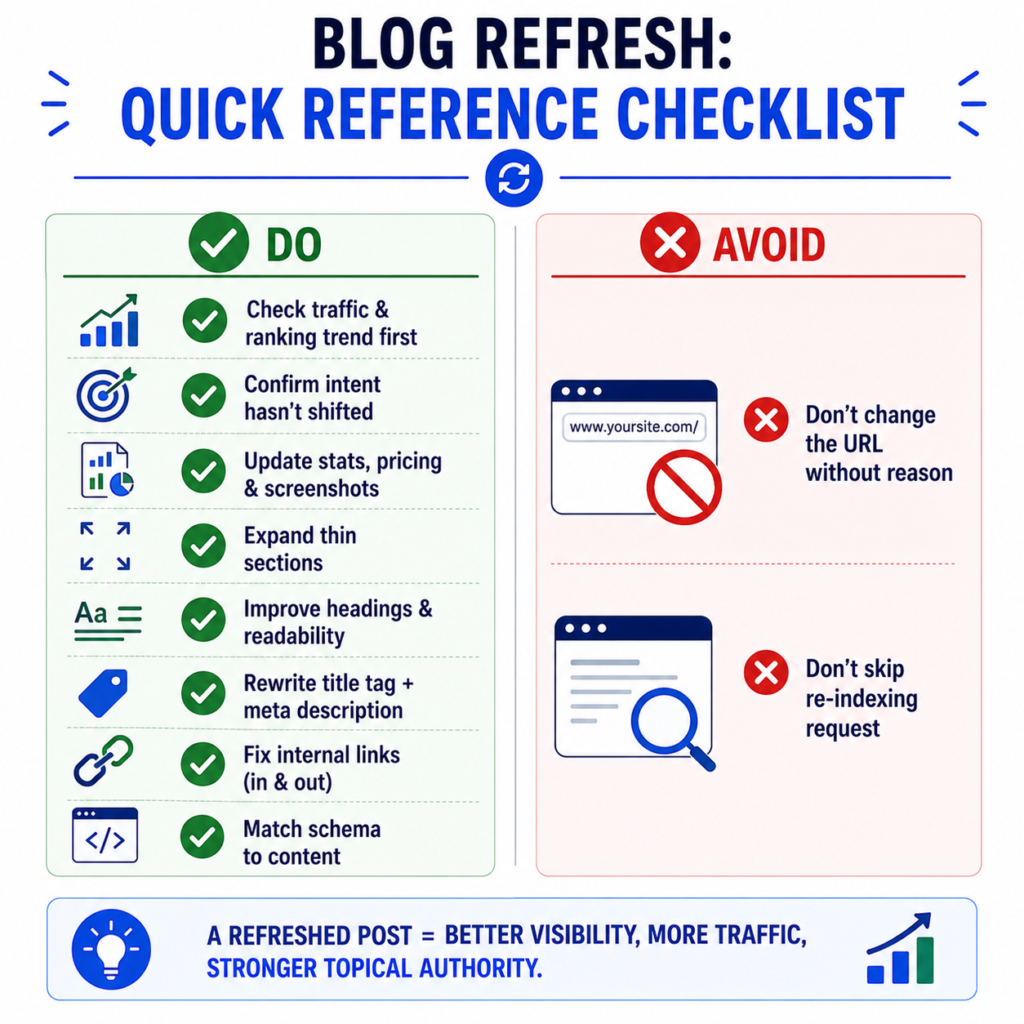
- Pull traffic, query, and ranking trend data before choosing which posts to update
- Re-check current search intent for the target keyword
- Update statistics, pricing, screenshots, and any deprecated references
- Expand sections that are thinner than current top-ranking competitors
- Improve heading structure and paragraph length for scannability
- Rewrite the title tag and meta description
- Add and audit internal links in both directions
- Confirm structured data still matches the content
- Keep the URL unless there’s a strong reason to change it
- Update the visible modified date only when the content meaningfully changed
For a broader look at supporting SEO fundamentals across a site, the guides on internal linking for small websites and meta title vs H1 differences pair well with a refresh workflow. And if you’re auditing a larger site, the full list of SEO tools and all available tools on QuickMarketingTools can speed up the process considerably.
Sources and Methodology
This article recommends refreshes only when the page genuinely becomes more accurate, useful, or aligned with current search intent. Google-specific guidance is based on Google’s helpful content guidance and documentation on when to ask Google to recrawl changed pages.
Frequently Asked Questions
Does updating a blog post’s date without changing content help SEO?
No. Search engines evaluate whether the actual content has meaningfully changed, not just the timestamp. A date change with no substantive update rarely moves rankings and can look manipulative if done repeatedly.
How much of a post do I need to change for it to count as a refresh?
There’s no fixed percentage. The better test is whether the update actually improves the answer to the searcher’s question, updated facts, expanded thin sections, better structure, or a more accurate title. A cosmetic pass on wording without new value typically won’t move the needle.
Should I refresh a post or write a new one?
Refresh if the existing page already ranks somewhere on page 1 or 2 and has backlinks or traffic history. Write new if the old post targets a fundamentally different intent than what’s needed now, or if consolidating would create a confusing, overly long page trying to serve two purposes.
Can refreshing old content hurt rankings?
It’s possible if you change the URL without a proper redirect, remove content that was ranking for secondary keywords, or shift the topic so far that it no longer matches the intent that built its original backlinks. Refresh with the existing strengths in mind rather than a total rewrite from scratch.