A URL seems like a small thing until you’re staring at a page that should be ranking on page one and isn’t, and the only real difference between it and the competitor above it is that their URL reads cleanly and yours looks like it was generated by a database. Google has said for years that URL structure is a minor ranking factor on its own. That’s true. But “minor ranking factor” and “doesn’t matter” are two very different statements, and the businesses that treat their URLs as an afterthought usually end up paying for it in crawl efficiency, click-through rate, and internal linking chaos.
This guide walks through what actually makes a URL SEO friendly, shows real before-and-after examples across different types of websites, and covers the mistakes that quietly cost sites traffic even when nobody notices the URL is the problem.
What Makes a URL SEO Friendly
An SEO friendly URL is short, readable by a human without translation, and describes the page’s content using the primary keyword or topic rather than internal codes, session IDs, or stacked parameters. Search engines can technically crawl almost anything, but a clean URL structure makes it faster for crawlers to understand site hierarchy, easier for you to manage redirects and canonicals later, and more likely that a person will actually click the link when they see it in search results, in a text message, or shared on social media.
Here’s a simple side-by-side to make the idea concrete:
| Not SEO Friendly | SEO Friendly |
| quickmarketingtools.com/index.php?p=1029&cat=44 | quickmarketingtools.com/blog/seo-friendly-url-examples |
| example.com/product.aspx?id=5521&color=2 | example.com/shoes/nike-air-zoom-pegasus |
| shop.com/category/cat_id=88/subcat=12 | shop.com/mens-jackets/waterproof |
| site.com/2024/03/17/untitled-post-copy2 | site.com/blog/how-to-improve-website-readability |
Notice the pattern. The friendly versions describe what’s on the page. The unfriendly ones describe how the database stores it. Search engines index for humans, and increasingly, so do AI overview systems pulling snippets into answers, so a URL that reads like a topic label helps on both fronts.
Why URL Structure Actually Matters
There are four separate reasons URL structure earns attention, and they don’t all get talked about equally.
Crawl efficiency. Googlebot has a crawl budget for every site, and it’s larger for authoritative domains and smaller for newer or lower-trust ones. When URLs are bloated with parameters, session IDs, or duplicate paths (the same product reachable through five different URL variations), crawlers spend budget re-crawling near-duplicate pages instead of discovering new content. On a 50-page site this barely matters. On a 5,000-page ecommerce catalog, it can mean important pages get crawled less often than they should.
Click-through rate. Google displays the URL breadcrumb path directly in search results, above the meta title. A URL like /blog/roas-vs-roi reads instantly. A URL like /page.php?id=44291 does not, and users are measurably more hesitant to click links that look auto-generated or suspicious, even when the content behind them is fine. If you’re already using a CTR calculator to track how listings perform, it’s worth remembering the URL itself is part of what a searcher evaluates before clicking, not just the title and description.
Internal linking and maintenance. Clean, logical URL structures make it dramatically easier to build internal links that make sense, group content by topic cluster, and manage redirects when pages change. Messy structures compound over time; every migration, rebrand, or CMS switch becomes harder because nobody can predict what a URL should look like from its content alone.
Sharing and trust signals. When someone pastes a link into Slack, a proposal, or a text message, a readable URL signals legitimacy. This isn’t a Google ranking factor directly, but trust affects clicks, and clicks affect the behavioral signals search engines do weigh.
Anatomy of an SEO-Friendly URL
Break a good URL down and you’ll usually find these components:
- Protocol: https, not http. Non-negotiable at this point.
- Domain: yourbrand.com, consistent, no unnecessary subdomains for content that belongs on the main domain.
- Path/category (optional but useful): /blog/, /shoes/, /services/ — gives search engines and users a sense of site hierarchy.
- Slug: the specific, keyword-relevant, human-readable identifier for the page — this is the part people mean when they say “the URL is ugly.”
- No trailing junk: no session IDs, no tracking parameters baked permanently into the canonical URL, no redundant repeated words.
A good working example: quickmarketingtools.com/blog/seo-friendly-url-examples/
That’s the protocol, domain, category folder, and a slug that literally states the topic in three or four words. Nothing is wasted.
Rules for Writing SEO-Friendly Slugs
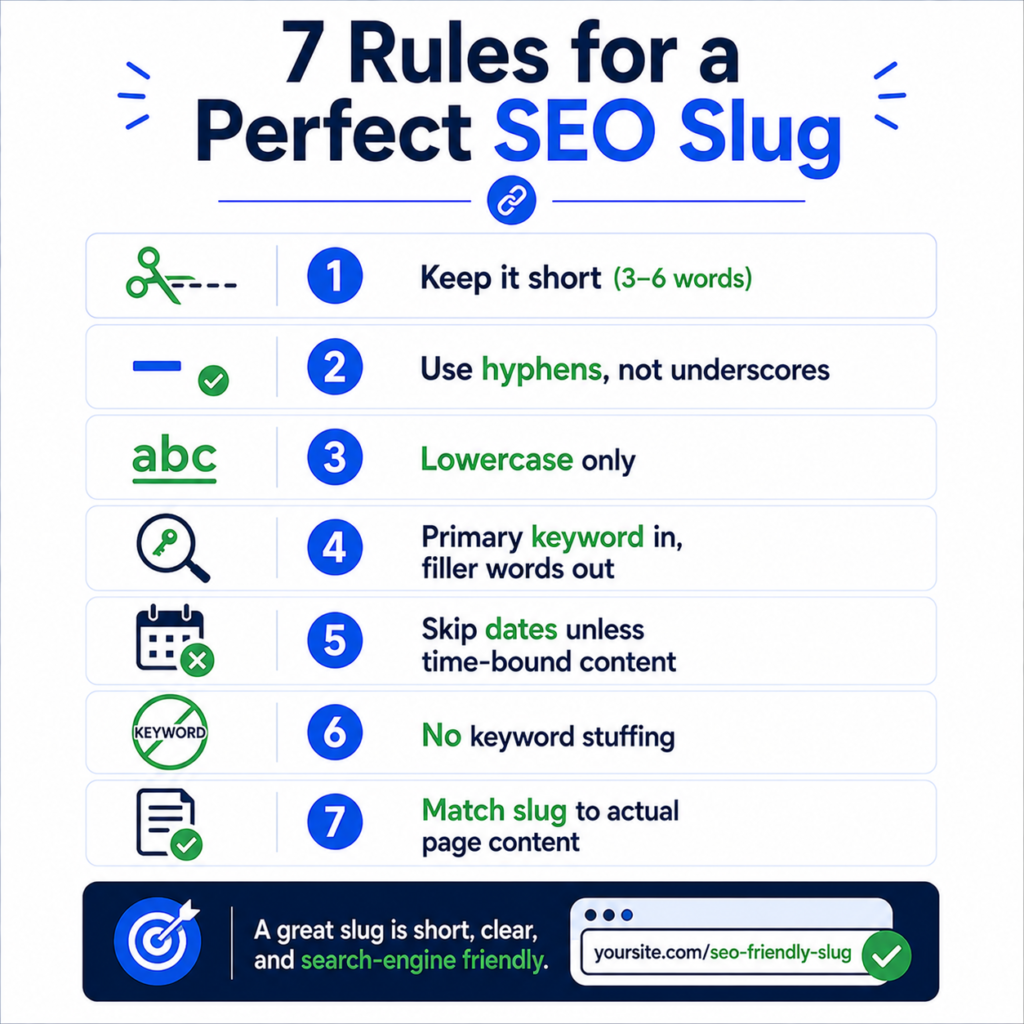
- Keep it short. Aim for 3 to 6 words when possible. There’s no strict length penalty from Google, but shorter slugs are more scannable and less likely to get truncated in search results.
- Use hyphens, not underscores. Google treats hyphens as word separators and underscores as connectors, meaning “seo-friendly-urls” reads as three words while “seo_friendly_urls” can read as one string. Hyphens win, every time.
- Use lowercase only. Mixed-case URLs can create duplicate content issues on servers that treat /Blog/Post and /blog/post as different pages.
- Include the primary keyword, skip the filler. “How to Choose the Right URL Structure for Your Website in 2025” becomes “url-structure-guide.” Stop words like “the,” “a,” “how to,” and “for” rarely need to survive into the slug.
- Avoid dates in the slug unless the content is genuinely time-bound. A URL like /blog/2019/03/12/seo-tips ages badly and can make evergreen content look outdated even after you’ve updated it. News and time-sensitive announcements are the exception.
- Avoid stop-word stuffing and keyword repetition. /best-best-seo-tools-seo-guide looks manipulative and reads badly. One clear phrase beats three overlapping ones.
- Match the slug to the actual page content, not to a keyword you wish you ranked for. A slug that overpromises relative to the content creates a mismatch that hurts both user trust and long-term rankings once people start bouncing.
If you’re building or fixing slugs at scale, a URL slug generator speeds this up considerably, and for sites with hundreds of legacy URLs to clean up at once, a bulk slug converter is a lot less painful than doing it page by page in a spreadsheet.
Real-World URL Examples by Site Type
Different business types run into different URL problems. Here’s how the same principles play out across common setups.
Ecommerce store. A shoe retailer might default to something like /product.php?id=88213&variant=blue. The SEO-friendly version groups by category and names the product: /mens-running-shoes/nike-air-zoom-pegasus. This also makes faceted navigation (size, color, price filters) easier to control, since you can keep the canonical URL clean and let filters live as parameters that get canonicalized back to the main product page.
SaaS company. A pricing page buried at /app/marketing-pages/pricing-v2-final should just be /pricing. Feature pages should follow a predictable pattern like /features/analytics-dashboard rather than nesting five folders deep, which happens often when marketing sites grow organically inside a product’s existing URL structure.
Local business. A dentist’s site with /services.aspx?s=12 loses the chance to signal location and service relevance in the URL itself. /services/teeth-whitening-austin (when the practice genuinely serves that area) gives both users and search engines an immediate, accurate read on what the page offers.
Marketing agency or blog. This is the most common case for content sites. /blog/post?id=4471 tells nobody anything. /blog/average-ctr-by-industry or /blog/how-to-calculate-cac describes the article in the URL itself, which also makes internal linking far more intuitive when you’re referencing older posts like this breakdown of low CTR causes or this comparison of ROAS and ROI from inside a new article.
Step-by-Step: Auditing and Fixing Your Existing URLs
If you’re working with a live site rather than starting fresh, don’t rename everything overnight. Here’s a more careful process.
- Pull a full list of current URLs. A sitemap URL extractor is the fastest way to see everything currently indexed or listed in your XML sitemap.
- Flag the worst offenders first. Look for parameter strings, session IDs, duplicate paths, and anything with more than 100 characters. These give the biggest return for the effort.
- Check which URLs actually rank or get traffic before touching them. Changing a URL that ranks well carries risk even with a proper redirect. Prioritize low-traffic, high-mess pages first, and be more conservative with top performers.
- Set up 301 redirects for every URL you change, without exception. A URL change without a redirect is a broken link and a lost page from Google’s index. Use a redirect generator to produce the correct rules for your server type, and check any status codes you’re unsure about against a status code reference before pushing live.
- Update internal links to point directly at the new URLs, rather than relying on the redirect chain. Old internal links that hop through a redirect still work, but they add latency and dilute a small amount of link equity at scale. An internal link analyzer can help you find every place the old URL is still referenced.
- Set canonical tags correctly, especially on ecommerce sites where filters and sorting create multiple URLs for the same product set. A canonical URL generator handles the syntax so you’re not hand-editing tags across hundreds of templates.
- Resubmit the affected pages in Google Search Console and monitor for crawl errors over the following two to three weeks.
Handling Parameters, Tracking Codes, and Filters
This is where a lot of otherwise-clean URL strategies fall apart. Marketing teams add UTM parameters for campaign tracking, and ecommerce platforms add filter and sort parameters automatically, and both are legitimate uses of URL parameters. The mistake is letting them get indexed as if they were separate pages.
A UTM-tagged link like ?utm_source=newsletter&utm_medium=email&utm_campaign=july is fine for tracking and should never appear as the canonical, indexed version of a page. If you’re building campaign links regularly, a UTM builder keeps the tagging consistent, and this UTM parameter cheat sheet is a useful reference for naming conventions across a team.
For filter and sort parameters on category pages, the fix is usually canonical tags pointing back to the clean base URL, combined with periodic cleanup using a bulk URL parameter remover when you’re auditing which parameter combinations have accidentally gotten indexed over time.
Common URL Mistakes That Quietly Hurt Rankings
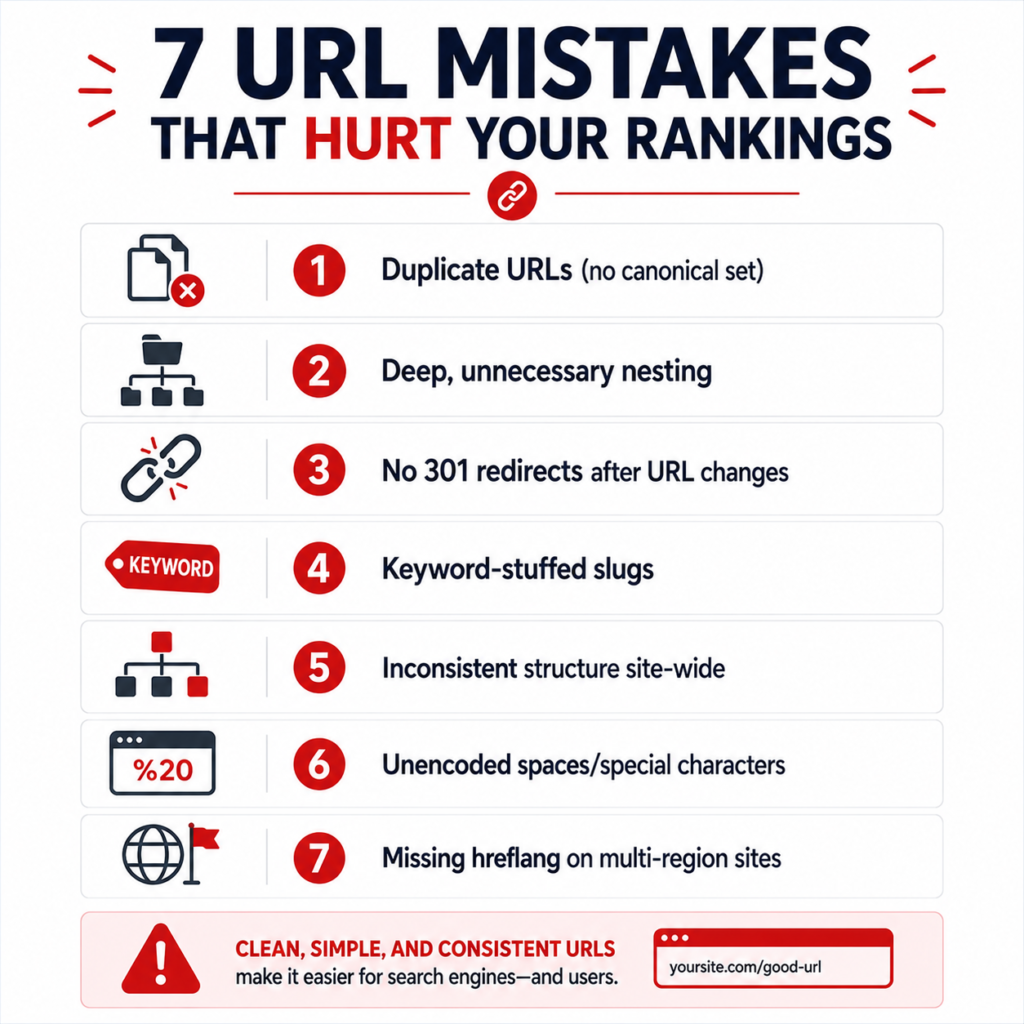
- Multiple URLs for the same content, usually from trailing slashes, capitalization, or www/non-www inconsistencies, without a canonical tag resolving which version counts.
- Deep nesting for no reason, like /blog/category/subcategory/tag/year/month/post-title, when two levels would communicate the same hierarchy.
- Changing URLs without redirects during a redesign or CMS migration, which is one of the most common causes of a sudden traffic drop after a site relaunch.
- Keyword-stuffed slugs that read as spam rather than description, which can actually work against click-through rate because they look automated.
- Inconsistent structure across the site, where some sections use /category/product and others use /product-category, making the site feel unplanned to both users and crawlers.
- Non-English characters or spaces left unencoded, which get converted into unreadable %20 and %C3%A9 style strings if not handled properly at the CMS level.
- Ignoring international structure. Multi-region sites that don’t separate URLs by language or country consistently, or fail to implement hreflang correctly, often end up serving the wrong regional page in search results. A hreflang generator is worth using once a site has more than one language or regional version live.
When URL Perfection Isn’t Worth the Risk
It’s worth saying plainly: if a page already ranks well, has years of backlinks pointing to its exact URL, and is only “imperfect” in a minor way, changing it purely for aesthetic reasons is often not worth the risk. Redirects preserve most but rarely all ranking signal, and there’s usually a short-term dip even when everything is done correctly. The better rule is to get URL structure right going forward and fix existing URLs only when there’s a real problem (duplicate content, broken parameters, a rebrand) rather than chasing a theoretically perfect slug on a page that’s already performing.
This is a genuine trade-off, not a technicality. Businesses that rewrite URLs constantly in pursuit of minor SEO gains often lose more from redirect churn and lost backlink equity than they gain from cleaner paths.
Building This Into Your Workflow
None of this needs to be complicated once it’s a habit rather than a one-time cleanup project. New pages get a clean, keyword-relevant slug from the start. Legacy pages get fixed when there’s an actual reason to touch them. Redirects and canonicals get checked as a standard step in any migration, not an afterthought discovered three weeks after traffic drops. If you’re documenting a broader internal linking strategy alongside URL cleanup, this piece on internal linking for small websites pairs naturally with the structural work covered here.
Good URL structure won’t single-handedly fix a site’s rankings. But it removes friction at almost every stage, from how crawlers find your content, to how confidently people click your links, to how easily your own team manages the site two years from now. That’s a reasonable return for something that mostly just requires deciding on a convention and sticking to it.
Frequently Asked Questions
Do URL keywords still matter for SEO in 2026 and beyond?
Somewhat, but less than they used to. Google has confirmed URL structure is a lightweight ranking signal on its own. It matters more indirectly, through crawlability, click-through rate, and how well it supports your internal linking and site architecture.
Should I use folders or a flat URL structure?
Either can work. Folders (/blog/topic) help communicate hierarchy for larger sites with distinct content types. Flat structures (/topic) can work fine for smaller sites where deep categorization adds complexity without benefit. Consistency matters more than which model you pick.
How long should an SEO-friendly URL be?
There’s no hard limit, but shorter is generally better for readability and to avoid truncation in search results. Three to six words in the slug, beyond the domain and folder, is a reasonable target for most content.
Does changing my URL structure hurt rankings?
It can, temporarily, even with correct 301 redirects in place, because search engines need to re-crawl and re-evaluate the new URLs. Long term, a cleaner structure with proper redirects should recover and often improve performance, but the transition period requires patience and monitoring.
What’s the difference between a slug and a URL?
The URL is the full web address, including protocol, domain, and path. The slug is just the final, human-readable segment that identifies the specific page, like “seo-friendly-url-examples” in this article’s own URL.